-
Android based smartphones and devices
Import to the users' truststore
Step 1
Select on the "Root Certificate (PEM Format)"-Link provided on the main page. The following dialog will appear.
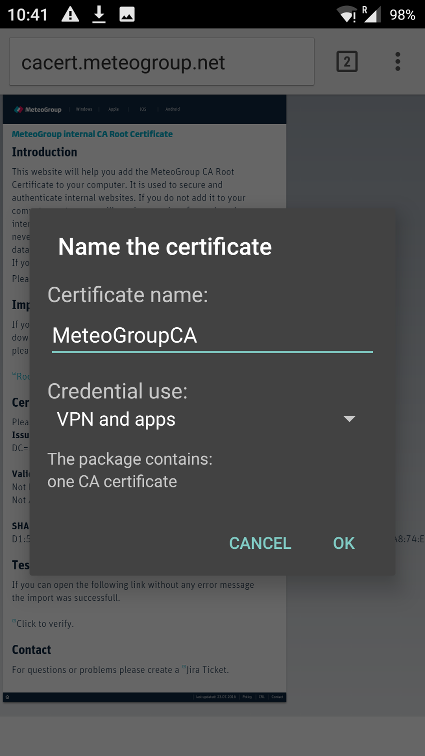
Enter a name for the certificate. I choosed "MeteoGroupCA" in this example. Choose "VPN and Apps" from the listbox. Finally select "OK".
The CA Root certificate is now imported -
Firefox App
The firefox app uses its own certificate storage so there extra steps have to be done.
Step 1
Select on the "Root Certificate (PEM Format)"-Link provided on the main page. The following dialog will appear.
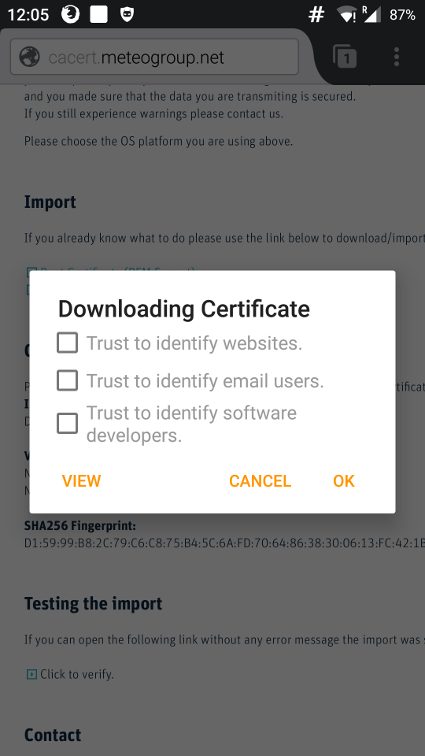
Select "View" to show certificate details.Step 2
Verify that the Fingerprint-Numbers match with those listed on the webpage.
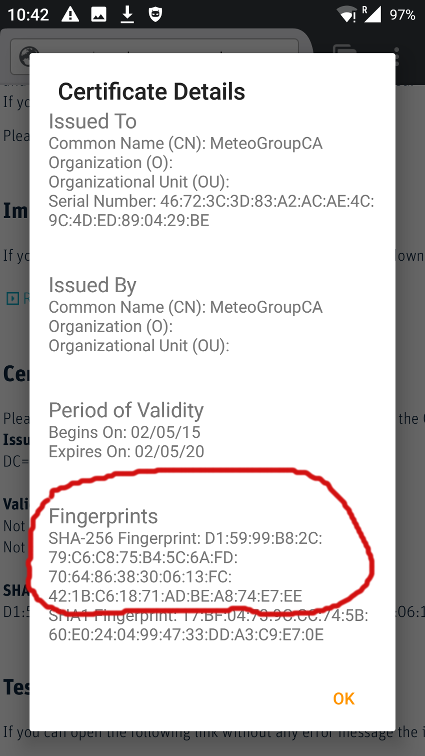 If those match it's safe to continue. Select "OK".
Step 3
Check Box "Trust to identify websites." and click "OK".
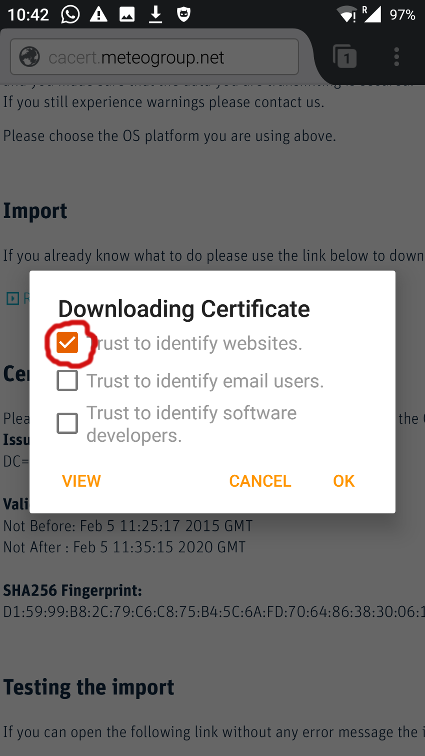
The CA Root certificate is now imported.