-
Import to Apple Mac OS X
Firefox Browser
Step 1
Click on the "Root Certificate (PEM Format)"-Link provided on the main page. The following dialog will appear.
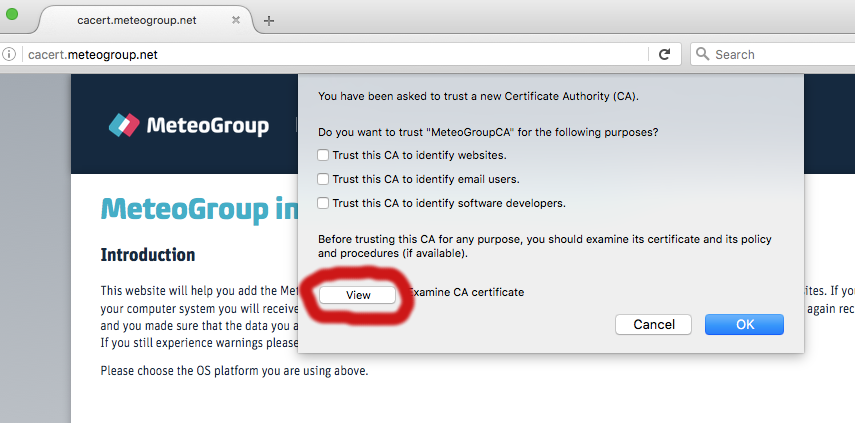
Click "View" to show certificate details.Step 2
Verify that the Fingerprint-Numbers match with those listed on the webpage.
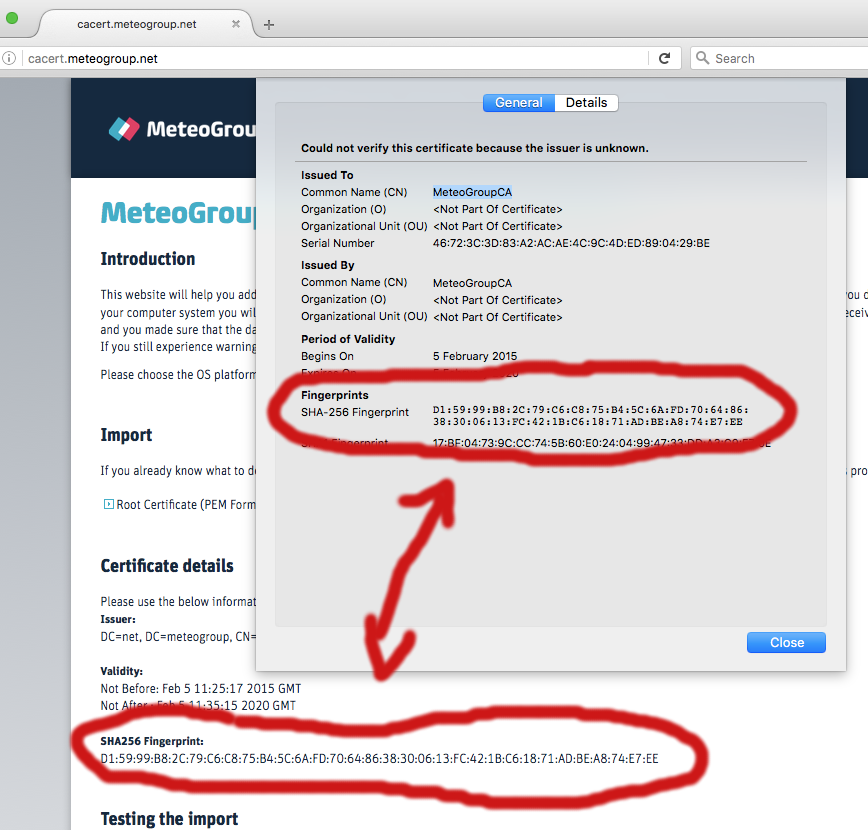 If those match it's safe to continue. Click "Close".
Step 3
Check Box "Trust this CA to identify websites" and click "OK".
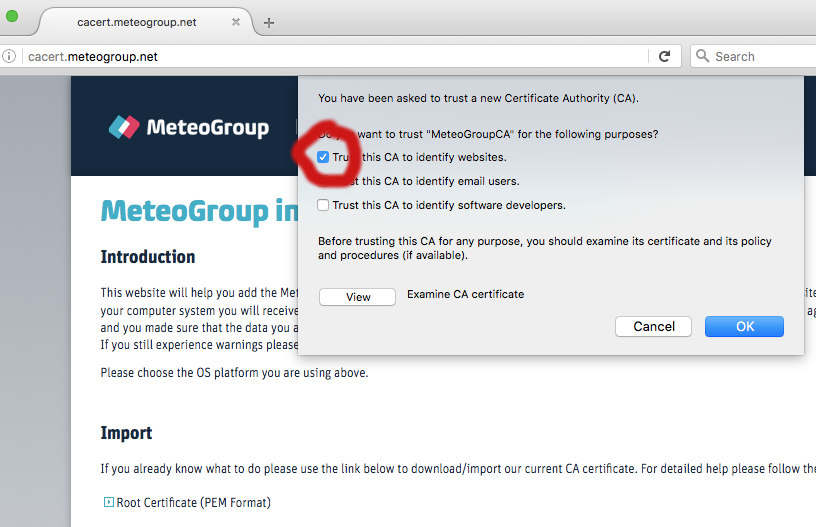
The CA Root certificate is now imported. -
Safari/Chrome/System
Step 1
Click on the "Root Certificate (PEM Format)"-Link provided on the main page. A file will be downloaded.
Step 2
Doubleclick the downloaded file. The "keychain" application will start asking you for an administrator name and password.
-
Expert only (using cli)
Step 1
Use spotlight or terminal to execute the following: curl http://cacert.meteogroup.net/ca/cacert.meteogroup.net -o $tmpfile sudo /usr/bin/security add-trusted-cert -d -r trustRoot -k /Library/Keychains/System.keychain $tmpfile;rm $tmpfile