-
Import to Windows
Firefox Browser
Step 1
Click on the "Root Certificate (PEM Format)"-Link provided on the main page. The following dialog will appear.
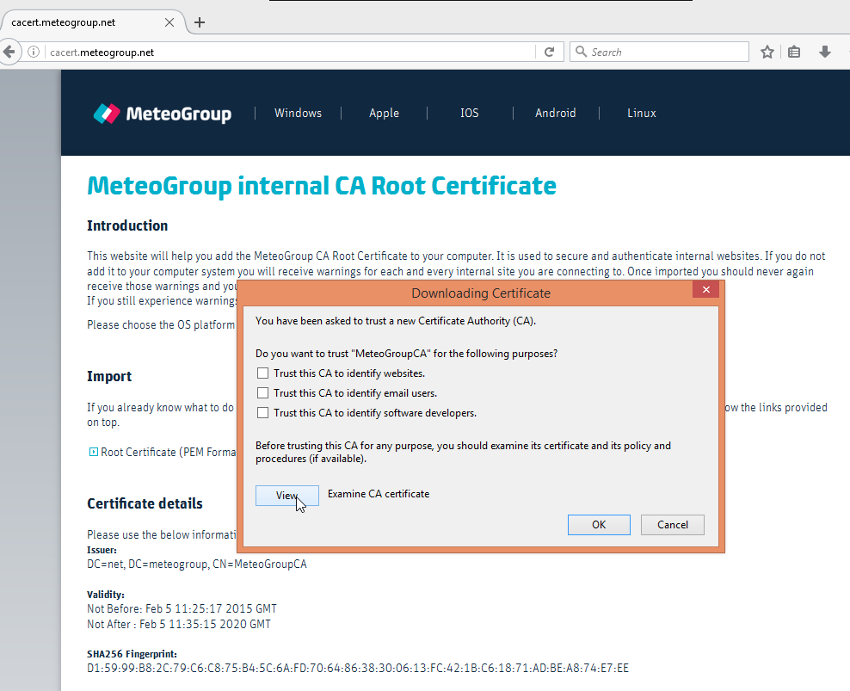
Click "View" to show certificate details.Step 2
Verify that the Fingerprint-Numbers match with those listed on the webpage.
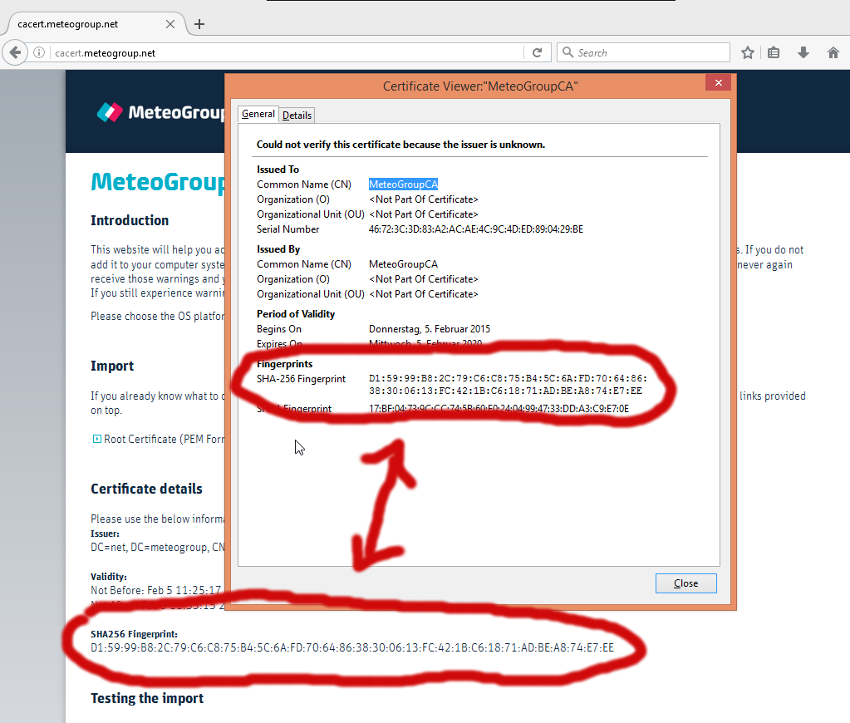
If those match it's safe to continue. Click "Close".Step 3
Check Box "Trust this CA to identify websites" and click "OK".
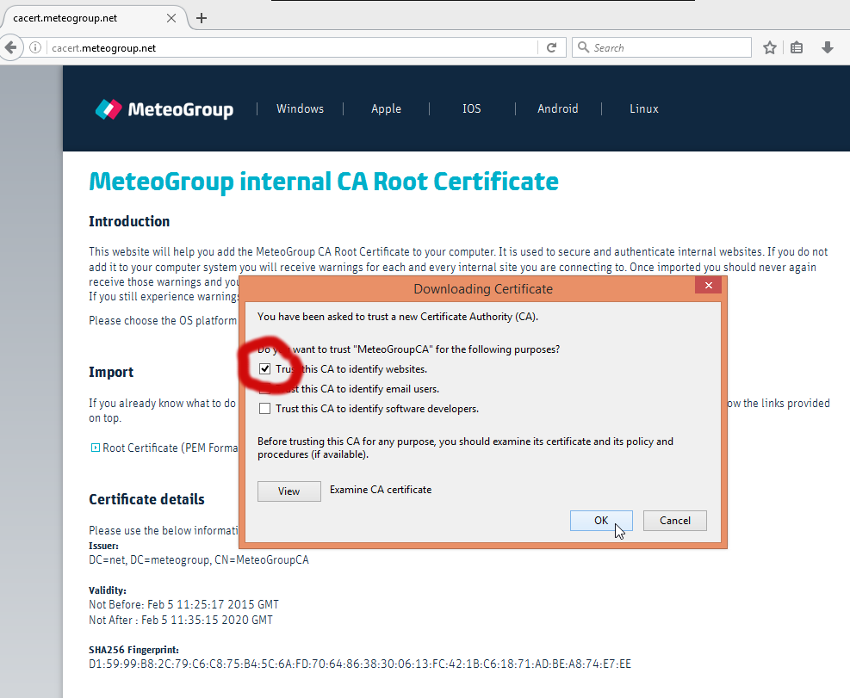
The CA Root certificate is now imported. -
Internet Explorer, Chrome and System
On a Backoffice managed system the certificate should be installed automatically.